
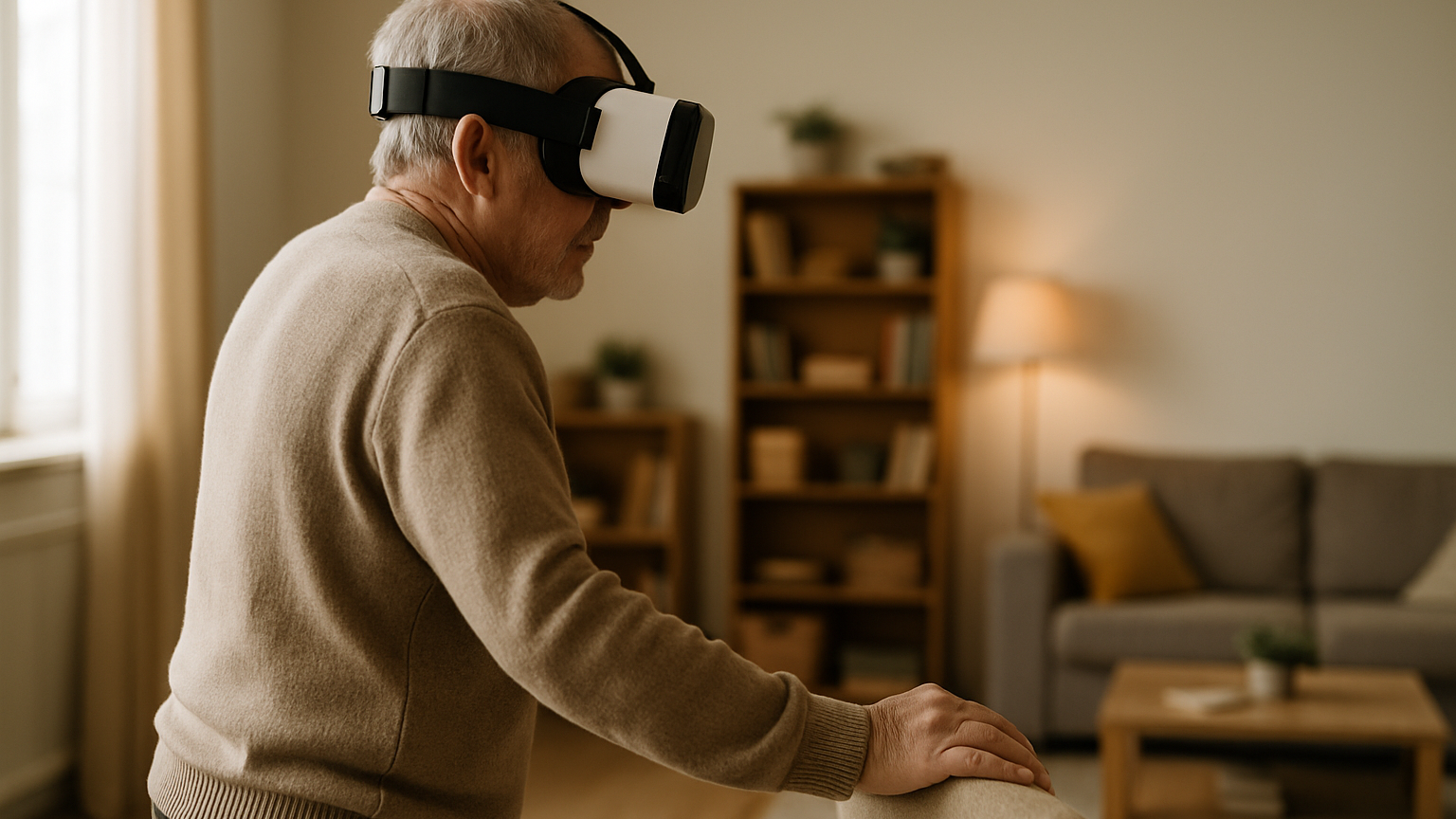
Virtual reality can turn a wobbly, unpredictable world into a controlled practice ground. If you work with older adults, you’ve probably wondered whether VR can genuinely improve balance or if it’s just another gadget. The short answer: used well, VR balance training for seniors is a structured way to deliver more repetitions, clearer feedback, and safer exposure to challenging situations. Not hype—just a new tool to apply established training principles in a more precise, measurable way. The real question is how to design sessions that respect aging physiology, protect safety, and build the kind of confidence that transfers into daily life.
This article walks through what balance actually means in later life, why VR can help, and how to run sessions that are both motivating and clinically sound. We’ll map out baseline testing, progression ideas, and a concrete safety checklist you can put into practice. You’ll also see where VR fits alongside conventional physiotherapy and occupational therapy, plus how human‑centered R&D turns a promising prototype into a pilot‑ready tool. And because education, not hype, is the goal, we’ll be just as clear about limitations as we are about benefits. By the end, you should have a practical mental model you can use the very next time you plan a balance block.
Balance, Aging, And Neuroplasticity: What We Can Actually Train
Balance is not one thing you switch on. It’s an orchestra: visual input, vestibular cues, proprioception, ankle and hip strategies, reaction time, attention, and confidence all playing together. With aging, sensory noise increases, reflexes slow a touch, and strength and power slip unless we nudge them. The upside is that many of these components still respond to targeted practice—provided the dose is right and the tasks resemble real life. When training is specific, progressive, and repeated enough, coordination tightens and the system becomes more robust under stress.
Neuroplasticity does not retire at 65. Older adults keep adapting to the inputs we give them, just often at a different pace and with a tighter safety envelope. The principles remain the same: task specificity, graded difficulty, meaningful feedback, and sufficient repetition. What changes is how carefully we ration sensory challenge and fatigue, and how we scaffold confidence while nudging the edge of capability. That is precisely the kind of environment immersive technology can deliver, minute by minute.
What can we actually train? Sensory reweighting under visual motion, head‑turn tolerance, step initiation, dynamic stability during turns, dual‑tasking, and the confidence to move despite uncertainty. What can’t we promise? VR won’t erase severe neuropathy or undo major vestibular loss, and it doesn’t replace strengthening, gait work, or medication management. Think of it as a precision practice field that amplifies the impact of your broader rehabilitation program. Used that way, it’s a multiplier—useful, but not magic.
Why VR Works For Balance: Safe, Repeatable, Motivating Practice
Clinicians spend a lot of time trying to create the right difficulty level in real space: a bus stop that isn’t crowded, a hallway that’s just busy enough, a curb that’s challenging but safe. In VR, you can dial all of this in with a slider and repeat it tomorrow with the same parameters. That means more consistent exposure to the exact sensory conflicts you want—optic flow, head turns, moving people—without the unpredictability of a live environment. You can also freeze the scene the moment form collapses and resume at a lower load. Consistency plus control equals better learning conditions.
Safety is not just about preventing falls; it’s also about protecting confidence. Exposure to visually busy places or stepping tasks can feel threatening outdoors, which is why many older adults avoid them and de‑train. In an immersive setting, you keep the body physically protected while simulating the threat visually and cognitively. That allows you to run more repetitions before fear shuts learning down. When people fail safely and recover quickly, they stay curious—exactly the state we want for motor learning.
Adherence improves when sessions feel purposeful and progress is visible. Subtle game elements—collecting tokens with precise foot placement, stabilizing a virtual tray while turning the head, scoring for reduced sway—turn drills into goals. Just keep the extrinsic rewards in service of intrinsic mastery so that carryover to real‑world mobility remains the point. Over time, you can capture session metrics and show someone their steadier path tracing or cleaner step timing across weeks. That feedback loop helps both coaching and motivation.
Does VR suit everyone? No. Some users experience visual motion sensitivity or cybersickness, so locomotion style, contrast, and motion speed need careful tuning. Start with short, simple scenes and progress cautiously—VR‑based balance training for older adults should never feel like a sensory assault. The headset fit, interpupillary distance, and lighting all matter more than we like to admit. Small setup mistakes can make or break a session.
VR Balance Training For Seniors: Session Flow And Safety Essentials
A solid session has three beats: know where you’re starting, challenge the right systems just beyond comfort, and keep a wide safety margin. Think assessment, targeted practice, and recovery. In practice, many older adults begin with brief standing or seated VR bouts, then build duration and complexity across visits. The goal is not to impress with fancy scenes—it’s to create the exact dose of task difficulty that transfers to walking, turning, and navigating community spaces. VR balance training for seniors works best when it blends into the rest of the rehab plan rather than sitting on an island.
Baseline And Goals: Functional Tests And Patient Profiles
Before the headset goes on, capture a snapshot of function and risk. Choose brief, validated tools that fit your setting: for example, a timed up‑and‑go for basic mobility, five‑times‑sit‑to‑stand for lower‑limb power, a simple static stance series with eyes open/closed, and a head‑turn walking task to probe vestibular tolerance. Add a patient‑reported confidence measure to surface fear‑avoidance early. Then translate personal goals into training targets—“walk through the market on Saturday” becomes “reduce sway under moving visuals and improve head‑turn stability.”
Profiles guide your first blocks. A frailer faller might start seated with controlled head movements and progress to supported standing, while an active walker with visual vertigo could begin in standing with slow, predictable optic flow. Post‑op deconditioning often needs gentle step initiation work before busy scenes, whereas vestibular hypofunction often benefits from gaze‑stabilization head turns paired with stepping. Think levers you can pull—visual complexity, base of support, head motion, and cognitive load—matched to a person’s presentation. Clear baselines make progression decisions easier and safer.
Progressive Challenge: Visual, Vestibular, And Dual‑Task Loads
Progression is more than “harder scene.” Start by stabilizing stance with high‑contrast, low‑motion environments; then introduce gentle optic flow, moving silhouettes, or narrow pathways that demand precise foot placement. Layer in head turns—first static, then during slow stepping, then during direction changes. Finally, manipulate the base of support or surface compliance if your setup allows. The art is to stretch capability without crossing into threat, one small notch at a time.
Dual‑tasking is where daily life lives, so bring it in early and light. Pair walking with simple word fluency, counting by twos, or identifying objects in the scene; then increase complexity only as form holds. After a few sessions, one issue usually comes up: turning the head while walking exposes hidden instability. That’s your coaching window—slower turns, steadier gaze targets, and gradual speed increases beat brute force every time. Keep the wins small and frequent so confidence accumulates.
Safety Checklist: Supervision, Contraindications, And Falls Protocols
Safety is non‑negotiable. Screen for red flags first: uncontrolled epilepsy, unstable cardiac conditions, recent concussion, severe uncontrolled vertigo, acute orthopedic injury, or cognitive impairment so significant that following one‑step commands is unreliable. If any of these are present, this modality is not the right fit today. During sessions, use a gait belt, a spotter, and the level of physical support (parallel bars, sturdy counter, or harness) that matches baseline stability. No fancy graph can replace a therapist’s hand on a gait belt.
- Clear the area of cables, clutter, and trip hazards; enable guardian/passthrough boundaries.
- Fit the headset properly; set interpupillary distance and brightness to comfort.
- Start with brief exposures; pause at first signs of nausea, dizziness, or visual discomfort.
- Use a visible or physical “stop” control the patient can activate; agree on a verbal stop word.
- Stand at the patient’s shoulder with a gait belt during all standing and stepping tasks.
- If a loss of balance occurs: stabilize, remove the headset, sit, assess symptoms, document and down‑progress next time.
- Between blocks, add seated recovery and hydration; monitor blood pressure as indicated.
Let’s be blunt: if someone can’t stand safely for 30 seconds, you don’t put them into free‑standing VR right away. Begin seated, build tolerance, then earn the right to stand with support. And if cognition or vision prevents safe interaction with cues, choose a different intervention—there’s no prize for forcing the wrong tool. A clean protocol and conservative progressions keep both learning and trust intact. That is how you reduce risk and keep the door open for next time.
Evidence And Clinical Pathways: Where VR Fits In Rehabilitation
The evidence base for immersive rehab is growing, with studies suggesting that VR can deliver balance gains comparable to conventional programs and sometimes add extra adherence through engagement. Mechanistically, that tracks with what we know about task‑specific practice and feedback‑rich environments. The key is that VR is not a stand‑alone cure; it’s an adjunct that can make your sensory and motor training cleaner and more measurable. When you structure it like any other therapeutic block—assessment, progression, outcome—you get clinical signal rather than novelty noise.
Where does it fit? Outpatient PT for community fallers, inpatient rehab for reconditioning and early turning work, day hospitals, and supervised community programs are natural homes. Home‑based use can work for select patients when supervision and safety hardware are in place. In neurological pathways, immersive tasks can complement vestibular rehab, Parkinson’s balance blocks, and post‑stroke dynamic stability training—always inside a broader plan that includes strengthening and gait. Match the modality to the goal, not the other way around.
Expect some friction during adoption. Hardware procurement, infection‑control procedures, session scheduling, room layout, and staff training all need attention before the first headset goes on a patient. Device management and content updates should be part of standard operating procedures, not ad‑hoc fixes. Build a simple outcomes set you can track across weeks—timed functional tests, stance metrics, and patient‑reported confidence are an effective trio. When the team sees data linked to goals, buy‑in follows.
For education and research partners, VR also opens windows into behavior you usually can’t measure during busy clinics: head movement patterns, sway responses to precise visual loads, and dual‑task effects at specific speeds. That creates opportunities for quality improvement and for formal studies. Start small, choose feasible outcomes, and let early cohorts teach you how to refine both scenarios and protocols. That iterative loop—test, learn, adjust—is the engine behind sustainable results.
From Prototype To Pilot: Human‑Centered R&D And Grant‑Funded Pilots
At RTE Lab, research and development is where immersive ideas become practical clinical tools. We design, prototype and validate XR, VR and AI‑supported solutions for healthcare with a process built around real user needs. Early concepts move through interactive prototypes and into pilot‑ready experiences that can be tested with clinicians, patients, and stakeholders at our immersive innovation lab. The aim is not flash—it’s repeatability, usability, and relevance in real environments. That’s how you get from a promising demo to a therapy block that fits the clinic schedule.
Human‑centered R&D starts with listening: therapists, older adults, caregivers, and clinical managers each define constraints you won’t see on a spec sheet. We translate those needs into scenario design, UX flows, and data capture that respect time, space, and staffing realities. Iterations are fast and focused: adjust the visual load, simplify prompts, change progression logic, then retest. When everyone can use the tool on a hectic Tuesday, you know the design is working.
Because the R&D process supports grant‑funded projects and collaborations with university and healthcare innovation programs, pilots can be structured from day one. That includes ethics approvals, safety documentation, training materials, and a clear outcomes framework. Feasibility, usability, and early effectiveness can all be studied without overburdening clinical teams. The result is a pathway that satisfies both operational needs and academic rigor.
Implementation planning runs alongside prototyping: where the hardware lives, how it’s disinfected, who supervises which tasks, and how data flows back to clinicians. You also need a playbook for onboarding new staff and refreshing content so programs don’t go stale. When those pieces sit inside standard workflow, immersive therapy stops being a side project and becomes another reliable tool. That’s the moment it starts to scale.
Designing The Right Experience: Scenarios, Accessibility, And UX
Scenarios make or break carryover. Think functional but focused: stepping stones across a slow stream to train precise foot placement, a gently busy market aisle for optic‑flow tolerance, or a quiet bus platform that introduces predictable head turns before people appear. Difficulty rises by adjusting motion speed, crowd density, path width, and the timing demands of turns and stops. Keep scenes readable and calm at first; save complex visuals for later. A good rule: build mastery in simple environments, then earn complexity.
Accessibility is more than big fonts. Use high contrast and clear edges, concise voice prompts, and minimal on‑screen text. Provide a large, obvious pause control and give clinicians a quick‑switch menu to down‑shift difficulty mid‑task. Subtitles help some users, but not if they steal attention from balance—use them sparingly. Most importantly, allow seated modes for early exposures so confidence can grow safely.
Hardware choices matter: inside‑out tracking reduces setup, passthrough boundaries add security, and hand tracking can remove controllers for users who find buttons distracting. Keep haptics subtle and meaningful; vibration for foot placement or successful turns is often enough. Calibrate interpupillary distance and brightness every time—comfort is performance. Build in session summaries so clinicians can see progression without digging through menus.
Comfort also means minimizing cybersickness risk. Favor teleportation or natural stepping over smooth artificial locomotion early on. Limit peripheral motion, keep camera height stable, and let users control motion start and stop. Insert short recovery breaks between blocks and watch for the early tells—eye fatigue, warmth, subtle nausea—so you can pivot. Small tweaks up front prevent aborted sessions later.
Design lessons often transfer across projects. For example, in adjacent neurodevelopmental work like the Focus VR platform and the Harmony VR experience, we’ve learned how simplified interfaces, sensory‑friendly visuals, and concise prompts can reduce cognitive load without dumbing down the task. The same principles help older adults concentrate on balance rather than on UI puzzles. Keep the scaffolding light, the goals clear, and the path to success visible. That’s what turns practice into progress.