
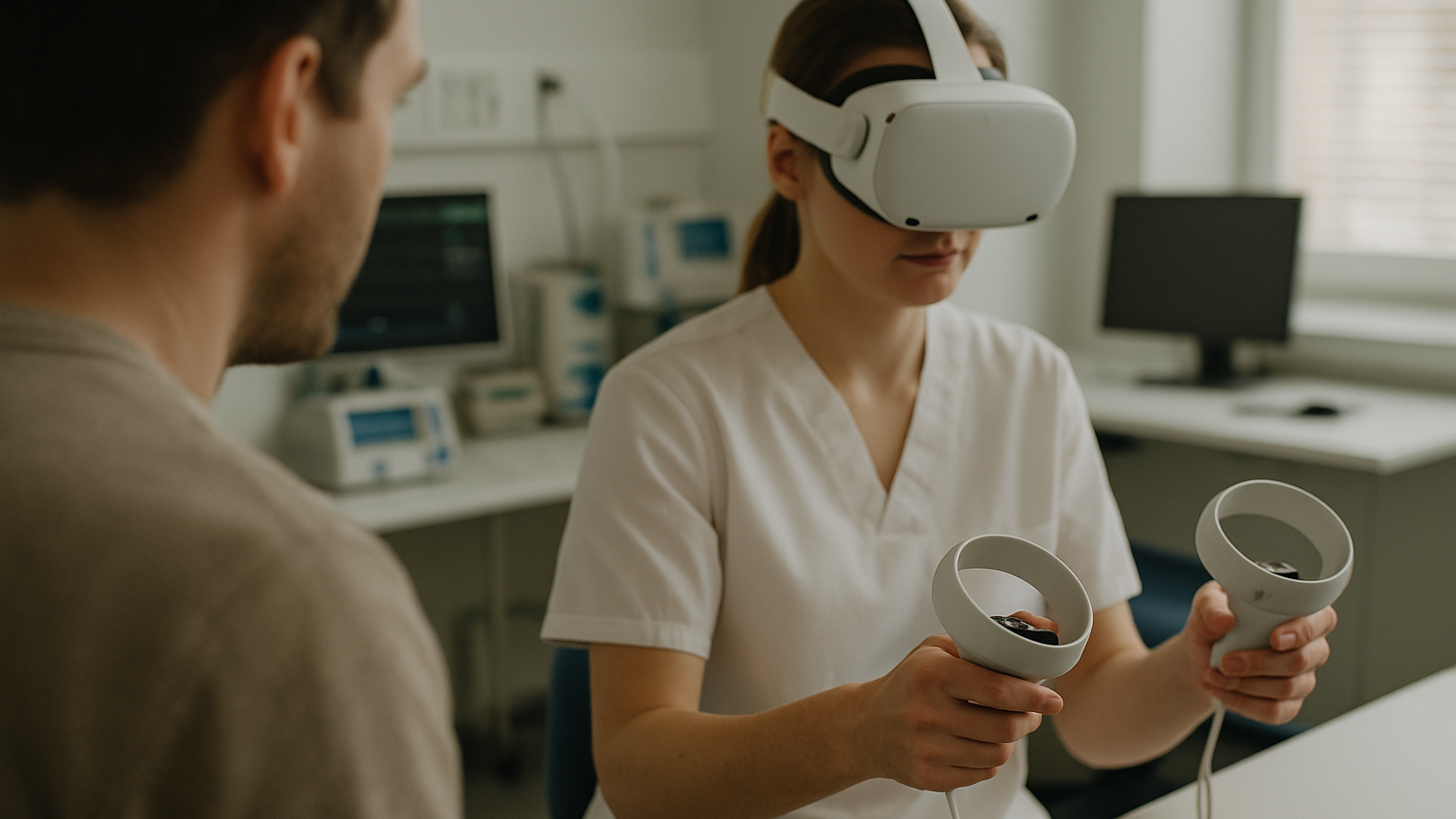
Clinical XR either fits into real care pathways or it doesn’t — and when it doesn’t, you feel it immediately: delays, dizziness, confused users, abandoned headsets. The difference is rarely a flashy feature; it’s almost always about the invisible details of experience. How fast a surgeon can onboard. Whether a therapist can pause and resume without breaking flow. If a patient can get through a 12‑minute module without discomfort. This is the territory where adoption is won or lost, and where RTE Lab spends most of its attention. We build for therapy, training and patient engagement with the same question in mind: will it work for clinicians and patients on a busy day, not just in a demo room?
That’s why we approach experience as a clinical requirement, not a layer of polish. From patient‑centered UX/UI to clinical usability testing and rigorous QA, our work brings technology and care together in practical ways. If you want a sense of breadth, explore our XR & AI MedTech solutions — spanning XR training simulations, AI patient engagement tools and therapeutic applications. In this article we share how we run UX testing for VR healthcare, what we measure and when to test across the roadmap. The goal is simple: make immersive care usable, safe and repeatable. No fluff, just what works.
Why UX Quality Decides Adoption In Clinical VR
Clinical teams don’t have time to negotiate with finicky interfaces. A resident needs to start a module in under a minute, not after a five‑step calibration ritual. A therapist can’t spend half the session fixing controllers or re‑centering the play space. When the first experience goes smoothly, trust builds; when it stumbles, the initiative stalls. That is why VR healthcare UX testing is not a nice‑to‑have — it’s the adoption engine.
Comfort and safety come next. Even a mild rise in cybersickness can tank completion rates and clinician confidence. We look hard at session length, rest options, seating modes and visual motion strategies that ease vestibular load. In practice, most people will tell you the truth the moment they feel discomfort — and they’ll avoid the headset afterward. Preventing that first bad experience is the cheapest retention strategy you have.
Finally, workflows. Does the app respect hand hygiene, gloves, and the need to document outcomes? Can it recover state after a page on call or an urgent interruption? Small frictions like login loops or unclear progress indicators add up quickly on a clinic floor. When UX quality closes these gaps, clinical value can actually show up in training scores, rehab adherence and patient satisfaction — because people finish the sessions.
When To Run UX Testing For VR Healthcare In Your Roadmap
Start during discovery, not after you’ve built the entire experience. We use interactive pre‑visualizations and lightweight prototypes to test core flows: onboarding, task steps, pause/resume, and exit. This stage is perfect for comparing interaction models (controllers vs hand tracking), scene readability and audio prompts. Insight here shapes content scope and hardware choices before you commit significant engineering time. It’s also where proof‑of‑concept solutions clarify what belongs in v1 and what can wait.
Next, instrument prototypes and run short, frequent studies as features land. We look at time‑on‑task, error points, comfort ratings and completion rates to guide sprints. This is the best moment for UX testing for VR healthcare because changes are still cheap and momentum is high. Clinician shadowing and co‑review sessions turn tacit workflow knowledge into design constraints you can actually build around. Think of it as continuous clinical usability, not a one‑off event.
As you near deployment, shift to reliability: cold‑start onboarding, network resilience, device swaps, and recovery from tracking loss. Content should be stable enough to freeze copy and localization. Your QA matrix now reflects target roles and settings, from therapy rooms to simulation labs. This is also where training materials and support paths are validated with real staff. You’re rehearsing the first week at scale, not just passing a test script.
Who shouldn’t lean into this cadence? If you’re rushing a one‑time demo for a conference next week, deep studies will slow you down; ship the demo and come back. If leadership expects clinical outcomes without allocating time for iteration, pause and reset expectations. And if your environment can’t support basic sanitation or device storage, prioritize operations first. Honest answer: skipping these basics makes every test inconclusive.
Inside A Clinical-Grade VR UX Test Plan
A robust plan blends human factors and clinical realities. We align scenarios with therapy or training goals, design consent and briefing flows that reduce anxiety, and define clear stop rules. The backbone is patient‑centered UX/UI, paired with clinical usability testing that respects staff time and safety. Our lens is simple: clinical VR UX testing must reflect the room it will live in — people, pace, equipment and interruptions included.
Participants, Scenarios And Safety Protocols
We recruit by role and need: clinicians for training flows, therapists and rehab specialists for therapeutic modules, and representative patient profiles for engagement tools. Scenarios mirror real tasks — from sterile field awareness in training to graded motor tasks in rehab, to guided education for chronic conditions. Sessions are designed with clear time caps, sit/stand options, and fast exits that preserve data. We use observation checklists to capture assistance moments, hesitation points and off‑task behavior. Safety protocols cover device hygiene, cable management, and fatigue monitoring with built‑in rest points.
Metrics That Matter: Comfort, Efficacy, Accessibility
We track comfort with standard sickness and workload scales, then correlate results with session length and movement patterns. Efficacy shows up in task completion, error recovery, time‑to‑competence and retention on repeat sessions. Accessibility includes readability at distance, contrast in complex scenes, audio intelligibility with ambient noise, and one‑handed or seated operation. We also log assistance events and drop‑offs — a quiet but powerful indicator of friction. Together, these signals tell you not just if users finished, but how hard it felt.
Hardware Variability, Tracking And Clinical Data Integrity
Devices behave differently in clinics than in labs. We test across target headsets built for HTC, Quest, Pico and more, mapping tracking stability under harsh lighting, reflective surfaces and tight rooms. Both marker‑based and markerless AR workflows are exercised where relevant, with clear fallbacks when tracking drifts. Data integrity gets equal weight: consistent timestamps, event logs, and pseudonymized identifiers, with offline capture when networks are unreliable. The result is a deployment profile you can trust, not just a passing grade in ideal conditions.
Training, Rehabilitation And Patient Engagement: What We Test
For training, we validate cognitive load, step clarity and feedback timing in scenarios from medical and soft‑skills training to clinical communication simulations. XR training simulations live or die by how well they make consequences visible without overwhelming the learner. We test coaching modalities — spatial cues, haptics, or audio — and we check whether assessment rubrics map cleanly onto recorded actions. Reset and retry flows matter as much as the main path because real learning includes failure. The aim is fluency, not just completion.
In rehabilitation and therapy support, consistency beats spectacle. We focus on graded difficulties, fatigue monitoring and session structuring that keeps motivation high without triggering discomfort. For neurodevelopmental tools for ADHD and autism, we examine stimulus density, predictability of transitions and adjustable pacing. VR‑based therapy support needs fast clinician overrides and clear summaries that can inform the next session. The best compliment we hear is simple: “my patient asked to do one more round.”
Patient engagement calls for empathy at scale. AI patient engagement tools can personalize guidance, but the UX has to keep cognitive effort low: plain language, short segments, and choices that never trap the user. We evaluate adherence nudges, micro‑rewards and progress visuals for clarity and honesty. When needed, we connect these experiences to broader care journeys so they feel like part of the plan, not a novelty. This is where thoughtful design turns intention into routine.
How RTE Lab Prototypes, Iterates And Validates With Clinicians
We start with medical needs assessment, therapy and training concept design, and patient journey mapping to anchor the work. Co‑design workshops with clinicians shape tasks, language and constraints before a single asset is finalized. We then build interactive pre‑visualizations to align on flows and content density, long before full production. You can dive deeper into how we connect these stages in our research and development process. The aim is a shared mental model that reduces surprises and accelerates decisions.
From there, we ship interactive prototypes and proof‑of‑concept builds, instrumented for insight. Each sprint pairs usability questions with concrete success criteria, so results translate directly into design or engineering actions. We leverage 3D medical modeling, spatial audio engineering and real‑world environment scanning or digital twin development as needed — always in service of clarity. Builds target HTC, Quest, Pico and similar devices early to flush out hardware quirks. No fluff, just what works.
Validation happens in loops: dry runs with our team, guided sessions with clinicians, and structured studies that stress onboarding, recovery and reporting. We use clinical usability testing checklists to keep sessions consistent, then close the loop with prioritized backlogs. As features stabilize, we apply rigorous QA for medical compliance and prepare support artifacts — quick guides, sanitization steps, troubleshooting trees. The result is not only a better app, but a smoother rollout plan. That combination makes change stick.
Readiness For Deployment: Compliance, QA And Data Privacy
Deployment readiness blends evidence, reliability and governance. We take a privacy‑by‑design approach: minimize personal data, keep identifiers pseudonymized, encrypt in transit and at rest, and maintain clear access roles. Event logs and audit trails help clinical teams review usage without exposing sensitive details. Content and settings are locked down to prevent drift once training begins. This is where the discipline behind clinical VR UX testing pays off, because what was measured can now be maintained.
On the QA side, we verify performance budgets (frame rate stability, thermal behavior), resilience to tracking loss, and graceful fallbacks for network hiccups. Hardware readiness includes headset hygiene, charging, and fast account switching for shared devices. Where AR is involved, both marker‑based and markerless paths are validated against real lighting and surface conditions. We also confirm that support flows — from quick start cards to escalation paths — are in place. Built right, these guardrails keep day one from turning into a fire drill.
One honest friction point: if an organization expects production deployment without time for QA and training, even great UX will buckle under real‑world load. Another: skipping procurement, device management and sanitation planning makes clinics say no, regardless of feature set. This approach also won’t fit teams seeking a one‑off demo; for that, speed matters more than depth. For everyone else — those aiming to improve training outcomes, rehab adherence or patient confidence — the path is clear. Treat experience as a clinical requirement and build from there.