
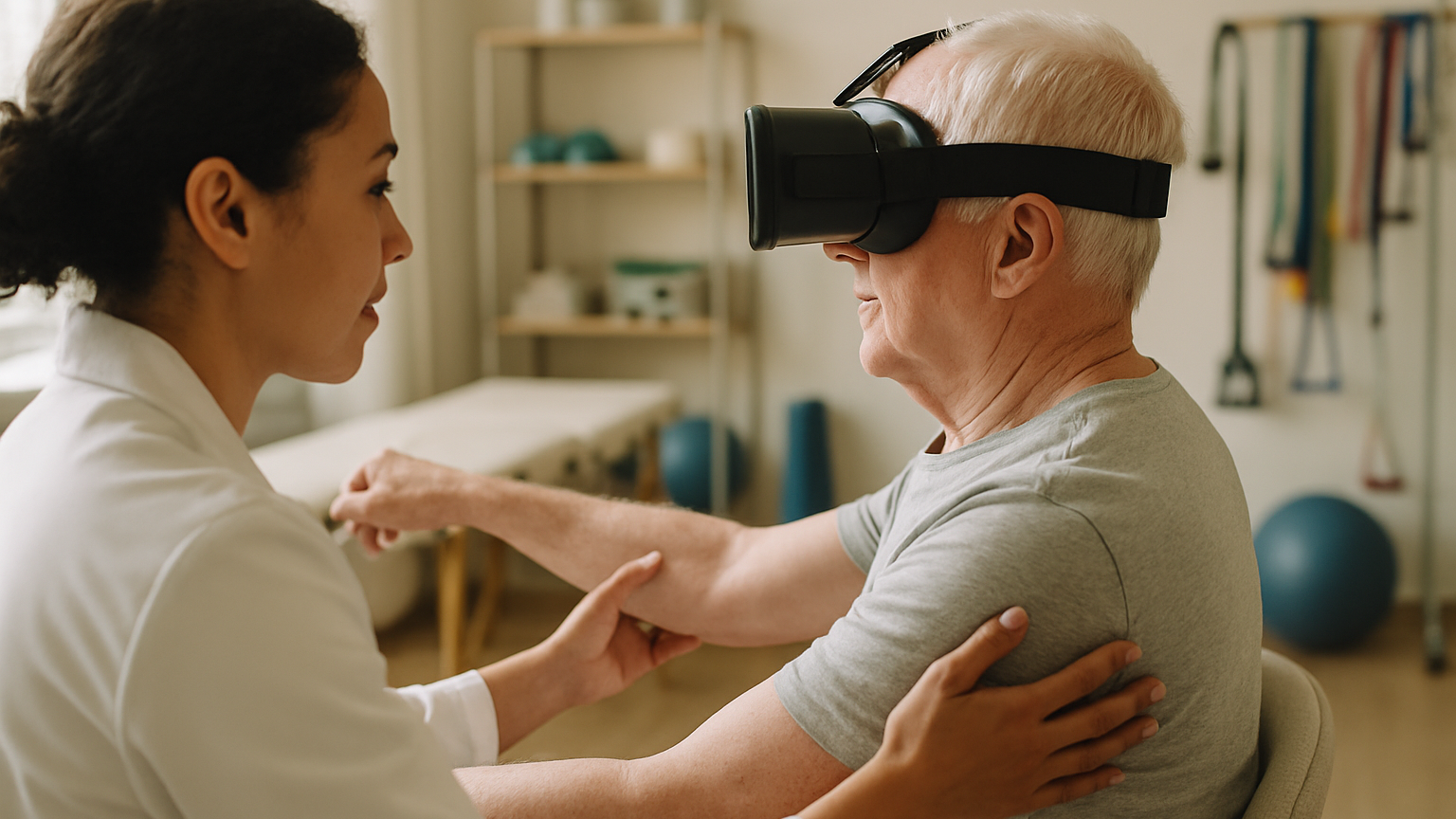
Virtual reality has shifted from curiosity to practical tool in neurorehabilitation. For many teams, VR rehabilitation for stroke sits at the intersection of task-specific practice, rich feedback and patient motivation — three levers you already use every day. What changes is the environment: immersive, controllable and repeatable, with stimuli you can dial up or down in seconds. That means more consistent practice, clearer measurement and a way to make hard work feel more like purposeful play. It also means new decisions about safety, workflow and data. The aim here is simple: help you decide when VR adds value, when it doesn’t, and how to integrate it without derailing your current care pathways.
We’ll cover how it works, what the evidence suggests across motor, balance and cognitive domains, how to screen and goal-set, and how to build sessions that progress intelligently with the right feedback. In practice, most teams start with one well-scaffolded task and discover that session logistics — headset fit, cables, room layout — matter more than abstract theory. If you’re mapping the landscape of tools, you can also scan our XR & AI MedTech Solutions to see where immersive technologies already support therapy, training and clinical communication. Let’s ground the promise in clinical reality.
VR rehabilitation for stroke – What It Is And How It Works
At its core, VR rehabilitation for stroke uses a head‑mounted display and motion inputs (controllers, optical hand tracking, or external sensors) to place a patient inside a structured training scenario. The clinician selects tasks — reaching, grasping, stepping, scanning — and defines difficulty parameters such as speed, range, precision or cognitive load. The system captures movement data in real time and transforms it into feedback the patient can understand instantly. You get a controllable environment that behaves the same way every time, which is gold for repeatable practice and observation. Many setups now run on standalone headsets, while others use PC‑tethered systems when higher fidelity or custom peripherals are needed.
What makes VR clinically interesting isn’t the graphics — it’s how the medium supports principles you already trust: massed, task‑oriented practice, variable and augmented feedback, graded challenge and meaningful goals. A simple example: a patient practices shoulder flexion and forearm pronation by reaching to place virtual objects on color‑coded shelves, with on‑screen trajectory guidance early on and reduced guidance as accuracy improves. For gait and balance, stepping onto visual targets or negotiating virtual obstacles can scale from slow, large‑target tasks to faster, precise foot placement with dual‑task demands. Cognitive scenarios add layers like attention switching, visuospatial scanning or working memory while keeping movements safe and trackable.
Clinician control remains central. You can start seated, set smaller ranges, and build tolerance before standing work. When balance is trained, consider a harness, parallel bars or close guarding, and keep a quick‑exit plan for cybersickness or disorientation. Hygiene and workflow matter: pre‑set profiles, quick calibration, and wipe‑down protocols keep sessions tight and predictable. The upshot is a practice space that can be tuned to the patient’s capability and adapted within seconds as performance changes.
VR is cool, but it’s not magic. It augments — not replaces — hands‑on facilitation, cueing and clinical reasoning. The best outcomes come when virtual tasks are explicitly mapped to real‑world goals and paired with conventional methods like strengthening, stretching or manual techniques. Think of VR as a precise, engaging lab for repetition and measurement, not a stand‑alone cure.
What The Evidence Says: Effectiveness, Limits And Safety
Across the literature, virtual reality rehabilitation after stroke shows benefits that are generally comparable to conventional therapy and, in some domains, add incremental gains — especially when used to increase practice intensity and engagement. Results vary because systems, tasks and patient profiles vary, so matching intervention to impairment remains key. Safety profiles are acceptable when screening is done and therapists supervise, with the most common issues being transient eyestrain, mild dizziness or fatigue. The biggest limit is not technology but fit: selecting the right patient, the right task and the right dose.
Upper Limb Function And Fine Motor Control
Upper limb training benefits from VR’s ability to drive hundreds of goal‑directed repetitions with immediate, intelligible feedback. Reaching, grasp‑release, forearm rotation and precision placement can be graded smoothly, with visual trajectories early on and reduced guidance as control improves. Bimanual tasks and game‑like goals help sustain attention, which often translates into more volume within the same session time. Common clinical measures used alongside in‑VR metrics include tools like Fugl‑Meyer UE or Box and Block — helpful for triangulating progress from impairment to activity. Limits appear with severe apraxia, painful range restrictions or minimal active movement; in those cases, VR either plays a smaller role or waits until facilitation and activation strategies unlock enough voluntary movement to engage safely.
Balance, Gait And Postural Stability
For balance and gait, VR scenarios create structured stepping targets, obstacle negotiation and direction changes with precise control of tempo and complexity. Postural reactions can be challenged without moving real‑world hazards, and external cueing (visual or auditory) can encourage cadence regularity. When paired with body‑weight support or close guarding, therapists can push intensity while maintaining safety. The main constraint is vection‑related dizziness in some patients; gradual exposure, stable visual horizons and frequent breaks reduce risk. As with any dynamic balance work, a harness or parallel bars are your friend when patients are new, impulsive or fatigued.
Cognition, Attention And Spatial Neglect
Cognitive VR tasks layer attention, memory and executive demands onto safe movement, which mirrors everyday dual‑task requirements. For spatial neglect, carefully designed exploration and target‑finding tasks can encourage scanning into the neglected field with immediate feedback and clear success criteria. Severity matters: individuals with profound neglect or disorientation may need semi‑immersive or therapist‑guided setups first to prevent frustration or motion sensitivity. Clear, simple visuals and therapist cueing help maintain engagement without overload. When the scenario aligns with the patient’s real‑world goals, carryover tends to improve.
Selecting The Right Patients And Setting The Right Goals
Start with screening. Vision (including fields), vestibular tolerance, significant headaches or migraines, uncontrolled epilepsy, severe motion sickness, acute delirium or agitation, and unstable cardiovascular status are red flags. Marked claustrophobia or inability to follow simple instructions will also limit immersion. Musculoskeletal constraints — painful shoulder, severe cervical limitation — can be managed with seated, small‑range tasks, but only if symptoms remain controlled. If these basics check out, VR rehab for stroke programs can be tailored to a wide spectrum of abilities, from early activation to higher‑level coordination and dual‑tasking.
Next, confirm the patient can tolerate the headset for short periods and understands the task‑feedback loop. A quick acclimatization — two to three minutes of calm environment and simple pointing — reveals a lot about comfort and attention. For upper limb work, look for at least minimal active movement you can shape into goal‑directed action; otherwise consider preparation with facilitation or alternative inputs. For balance, ensure safe standing tolerance and always plan guarding or support for the first sessions. Small wins early build trust and reduce drop‑outs.
Goals should be specific and meaningful. Instead of “improve arm function,” target “reach to shoulder height to place objects at midline with controlled pronation” or “grasp‑release 20 small items with minimal spillage.” For mobility, think “initiate step with left foot on verbal cue, clear 5 cm obstacle visually, maintain upright trunk.” Wrap these into SMART goals and align the VR task parameters directly with those metrics. When expectations are explicit, both patient and therapist know what success looks like.
And here’s the honest boundary: this approach is not a fit for patients with uncontrolled seizures, severe vertigo, active nausea, acute visual disturbances after stroke, or those who cannot tolerate brief head‑mounted display use even after graded exposure. It also won’t help if the primary barrier is unaddressed pain or depression that limits any form of participation. In those cases, fix the fundamentals first and revisit immersion later.
Designing Therapy Sessions: Intensity, Progression And Feedback
A good session starts before the headset goes on. Calibrate in the patient’s comfortable range, preview the task with a plain background, and agree on a simple stop signal. The first minutes belong to onboarding: confirm that cues are heard, objects are visible and the patient can orient to the virtual space without rushing. Keep the therapist’s hands free to guard or facilitate — cable management and room setup matter more than most teams expect on day one.
Dose drives outcomes. Short, focused bouts with clear targets almost always outperform one long, unfocused push. Many patients can perform far more quality repetitions in VR because tasks feel purposeful and feedback is immediate; use that advantage, but build in deliberate rest to prevent fatigue and cybersickness. Track time‑on‑task and reps so that progression is based on data, not hunches.
Progress along multiple dimensions, not just difficulty labels. For the upper limb, increase range, reduce target size, add accuracy demands or introduce time pressure one element at a time. For balance, move from wide to narrow base, stable to variable surfaces (virtually), single‑ to dual‑task, and increase perturbation unpredictability only when posture remains clean. Cognitive layers like selective attention or memory can be woven in after motor patterns look steady. One change per progression step keeps success rates high and frustration low.
Feedback is your brake and your accelerator. Early on, provide rich knowledge of performance (trajectories, alignment cues, pacing) so patients understand the “how.” As skill emerges, fade to knowledge of results (hit/miss, score, time) to encourage internalization. Use sound and simple visuals; busy screens can overwhelm, especially after right‑hemisphere strokes or with attention deficits. End sessions with a brief debrief: what felt easy, what felt hard, and what changes will we make next time.
- Red flags to pause or stop a session: sudden nausea, spinning dizziness, new visual disturbance, headache that spikes, abrupt blood pressure changes, or confusion that doesn’t resolve with a break.
- If any appear, exit to a neutral scene, remove the headset, re‑orient the patient in the room and reassess before continuing.
From Prototype To Pilot: Building Rehab Scenarios Clinicians Trust
Trust is built when clinicians co‑design the scenarios they’re asked to use. That means starting with real user needs — patients, therapists, caregivers — and translating them into clear task goals, constraints and outcomes. Fidelity should serve function: you don’t need photorealistic rooms if the aim is precise forearm rotation, but you do need reliable sensing, intuitive cues and fast parameter changes. Iterating with working prototypes, not slides, exposes what actually helps and what just looks nice.
An effective R&D loop combines scenario design, user experience, clinical input and technical tuning. Start with a small cohort to validate usability and safety. Stress‑test common clinical constraints — limited space, varying patient heights, use with orthoses or assistive devices — and refine based on direct observation and outcome signals. Keep a change log tied to clinical rationales so the team sees how feedback shapes the tool.
Validation also means mapping virtual tasks to recognized clinical constructs and measures. If a scene trains unilateral reach with graded pronation, specify how it relates to impairment and activity measures you already collect, and ensure the in‑VR metrics are interpretable by the care team. Safety protocols should be documented just like any other modality: screening checklist, fit and sanitation steps, guarding requirements, and exit criteria.
This human‑centered pathway is exactly how we approach immersive healthcare R&D — from early concepts to validated prototypes ready for pilot testing — in collaboration with universities and healthcare innovation programs and with support for grant‑funded projects. If you’re planning to develop or adapt scenarios for therapy, training or clinical communication, you can explore our Research & Development process. It spans rehabilitation scenarios, VR‑based therapy support and even XR training simulations so teams can practice safely before working with patients.
Measuring Outcomes And Integrating Data With Care Teams
Measure like a clinician, not just a technologist. Anchor your evaluation in the ICF: body functions (range, speed, smoothness), activities (task completion, dual‑task cost) and participation (reports of daily function). Combine standardized tests you already use with in‑VR telemetry that captures reps, accuracy, time‑on‑task and error patterns. The goal is a coherent story of change, not a data dump.
Good systems make data collection effortless and exportable. Session‑level dashboards show what happened today; trend views show whether the last two weeks are bending in the right direction. Map virtual scores to clinical thresholds where possible so every team member understands what an improvement actually means. After some time, one issue usually comes up: people want the essentials on one page, not scattered across three.
Integration is as much culture as it is software. Decide who reviews the data (therapist, team huddle, family), when it informs plan‑of‑care updates, and how it’s summarized for the physician or insurer. Protect privacy with clear access rules and minimal necessary data sharing, especially if sessions extend into home programs. When the data loop is tight and meaningful, VR‑based rehabilitation after stroke becomes part of routine care rather than a side project.
If you’re evaluating platforms or considering a custom build to fit your pathway, aligning metrics and workflows from day one prevents painful retrofits later. This is where end‑to‑end, human‑centered development pays off — connecting scenario design, usability and measurement so clinicians can trust what they see. For a broader view of how XR and AI support therapy and training across healthcare, see our XR & AI MedTech Solutions and how they translate into real‑world environments.